See How It All Works
A guided walkthrough of every screen in GOpher Forms—what it does, who sees it, and how it fits into your jobsite workflow. Toggle between the worker view (what crews see on their phones in the field) and the owner view (what supervisors and admins see in the management portal) to understand both sides of how GOpher Forms keeps your safety paperwork moving without paper.
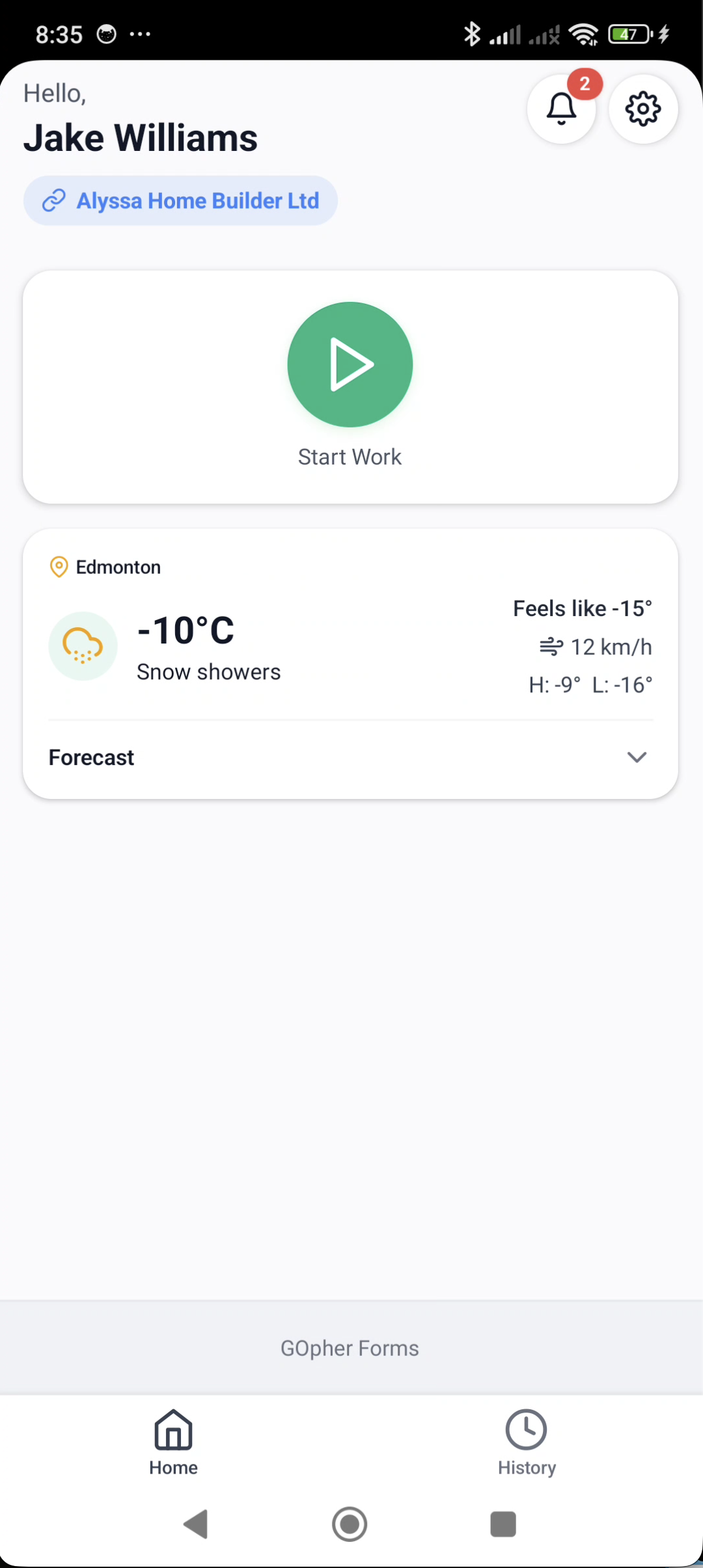
Home Dashboard
Your command center for everything happening on the job.
- Start a work session with one tap
- Current weather and forecast at your location
- Tap your company name to manage linked businesses
- Quick access to notifications and settings
Screenshots and interactive demos coming soon.
Ready to try it on your own jobsite?
The product tour shows you the layout, but the real value shows up when your crew is filling out an FLHA on their phone in 90 seconds instead of fumbling with a clipboard. Join the beta, test it free on your own crew, and get the Gold plan free for a full year when we launch—no credit card, no commitment.
Become a beta tester →